The Trading Post
Out Now · Spasciz Prompt Studio
Every prompt. One studio.
Six AI music prompt tools in one app, powered by your own Claude or ChatGPT key. Pick from 208 genres, shape the vocals, add engineer-grade mix directives, and co-write lyrics — no artist names, just your genre and your ideas.
New Release · Prompt Studio
Stop guessing.
Start generating.
Spasciz Prompt Studio is the all-in-one prompt engine for Suno, Udio, and the rest. Connect your own Claude or ChatGPT key, pick any model you like, and build a finished prompt in minutes.
Spasciz Prompt Studio
Full Song, Instrumental, Stems, Lyrics, AI Co-Write, and Release Flow, all in one app. Bring your own API key and choose the model. A guided setup gets you connected in under five minutes, and your key stays in your browser.
- 208 genres, including every rock and jazz style
- 35 genre-based Vocal Architect presets
- Engineer mode: mix & master directives in every tool
- AI Co-Write with your own lyrics or AI lyrics
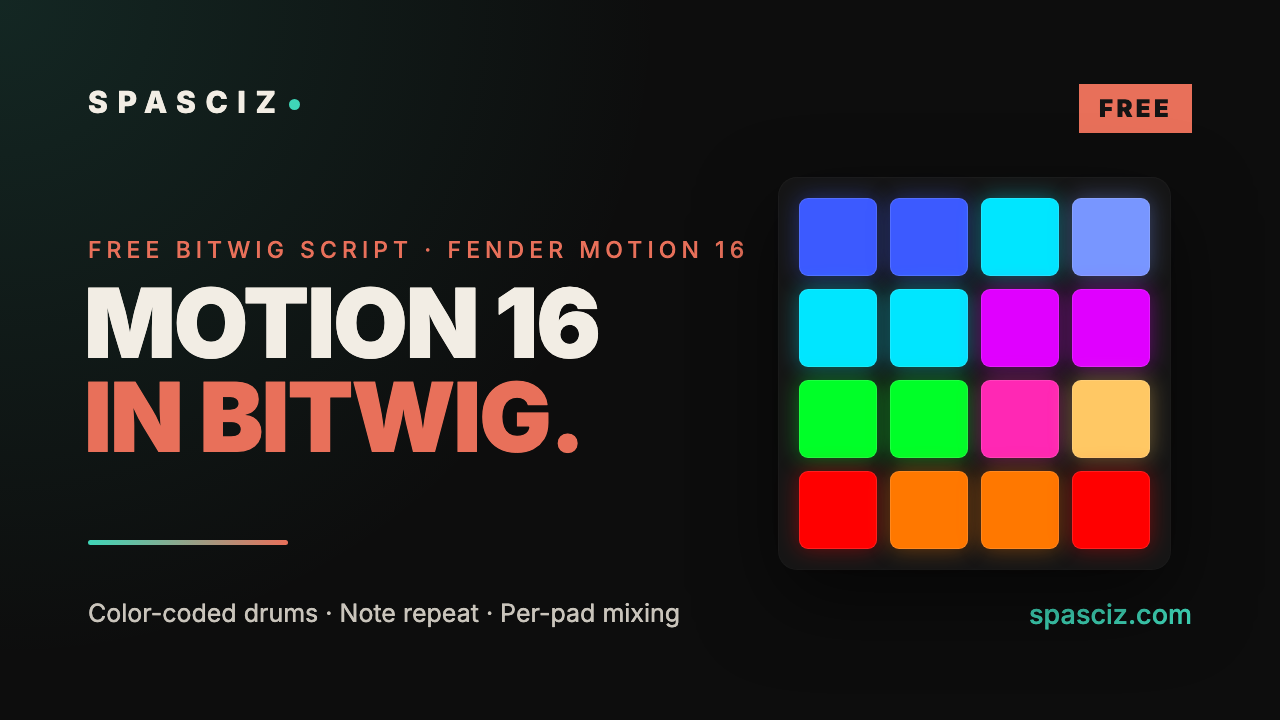
Free · Bitwig Script
Fender Motion 16,
fully working in Bitwig.
The Motion 16 only fully works in Studio Pro. This free script maps every pad, knob, button and the screen in Bitwig Studio.
Motion 16 for Bitwig
Color-coded drum pads, note repeat with rate buttons, scales and chords, per-pad volume, pan and sends, Shift commands and a working screen with live mixer meters.
- Drum pads lit by drum type (kick, snare, hats, toms…)
- Note repeat 1/4–1/32 incl. triplets, rate on Bank A–H
- Hit a pad: knobs control its volume, pan and sends
- Smart knobs that follow your track, with acceleration
- Shift + pads: Copy, Paste, Duplicate, Quantize, Split…
Install in two minutes: unzip, drag the Motion16 folder into Documents / Bitwig Studio / Controller Scripts, then in Bitwig add Settings → Controllers → Fender → Motion 16 with MIDI in and out set to Motion 16 Main. Full guide inside the zip.
Made for Bitwig Studio 6, tested on macOS. Unofficial: not made, endorsed or supported by Fender. "Fender" and "Motion 16" are trademarks of Fender Musical Instruments Corporation.
01 · Tiers
Three systems.
One workflow ladder.
Start where you are. Move up as your sessions get more layered. Every tier is a real, interactive tool — not a PDF, not a course.
AI Music Creator System — Starter
Stop guessing. Start generating. Pick a genre, set mood / BPM / energy — get a fully engineered prompt for Suno, Udio, ACE Studio, Stable Audio, ElevenLabs Music, Mureka, and more.
- Full song prompt generator
- 12 genres · 3-mood builder
- 5-step viral release workflow
- TikTok / Reels / Shorts captions
- Works in any browser — no install
AI Music Creator System — Producer
Two interactive tools. Full vocal tracks for content; clean instrumentals for sync, scoring, and pure production. Platform-specific tips baked in.
- Full Song Generator
- Instrumental Generator (30 instruments)
- 6 lead performance styles
- Vocals-free platform tips
- Sync / scoring release workflow
AI Music Creator System — Studio
The whole system. Three interactive tools covering every session type — full songs, vocals-free instrumentals, and stem-by-stem prompt generation across 48 individual stem types.
- Everything in Starter + Producer
- Stem Session Prompter · 48 stems
- Global session settings
- Export full session in one click
- Suno Studio / multi-platform ready
02 · Compare
What's in each tier.
03 · FAQ
The basics, answered.
Which AI music platforms does this work with?
Suno, Udio, ACE Studio, Stable Audio, ElevenLabs Music, Mureka — and an 'Other' option that formats prompts universally for any platform.
Do I need an account or subscription?
No. You download HTML tools and open them in any browser. Nothing to install, nothing to sign up for. Yours forever.
How is it delivered?
Instant download via Gumroad after payment. Open each file in your browser — works on desktop, tablet, and mobile.
Is there a refund policy?
Due to the instant-download nature of digital products, all sales are final. If you have file issues, contact us in the community and we'll sort it.
What if the platforms update?
Join the Creative Spasciz Skool community — platform updates, new prompt packs, and workflow adjustments are posted regularly.
Can I upgrade later?
Yes — start with Starter or Producer and grab the higher tier whenever you're ready. Each Gumroad page accepts upgrades directly.
Built by Spasciz · tested every week · updated as the space evolves